Contents
#The short version
- Start with a feeling. Write one line about what players will feel in your world.
- Start small. Make a few locations that can handle many different kinds of stories.
- Give characters something to do. Build opportunities into the world, so players see open possibilities for making friends and going on adventures.
- Make relationships earned. When a country has history and characters have likes and dislikes, players have to learn how to interact with the world.
- Protect the quiet. Every good story needs downtime for bonding and resting.
- Don't forget the game mechanics. Interesting progression keeps players focused on growing.
- Share your process. Players are drawn to worlds that are being developed and cared for.
#What the numbers say
#01Start with a feeling
"A good world is not an encyclopedia with a Start button attached." Kato, How to Build a Voyage World That Actually Feels Alive
Before you write lore or characters, finish this sentence: In this world, you get to…
Here's how some well-played worlds say it:
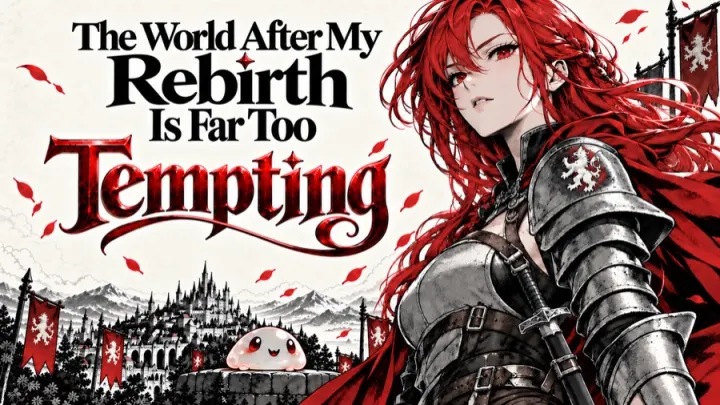
- The World After My Rebirth Is Far Too Tempting (Kato): "you’re one choice away from forbidden magic, a deadly adventure, or someone you really shouldn’t fall for"
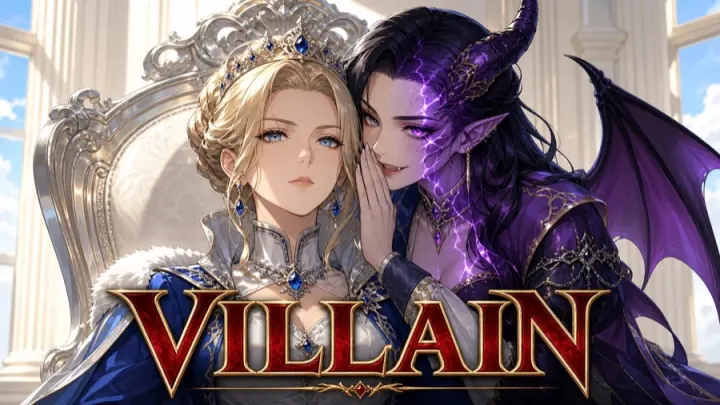
- Villain (Sephii): a "sandbox RPG where you do not save the world, you take it"
- The Heavens Cannot Tolerate Me (Ravenartz): "becoming immortal does not exempt you from family problems"
- Got Isekai'd (KaleidoARC): "You died. Or you didn't. Either way, you're not home anymore."

Put your sentence at the top of the World Background field in Story Overview. The narrator reads it every time it writes a story turn, so it's the best place for anything that should always be true. Your tags and public description help players find the world, but the narrator doesn't read them.
Template: World Background, first paragraph
In this world, you get to [what the player does and feels], in [one specific place],
where [what's going wrong right now]. You are [the player's role].
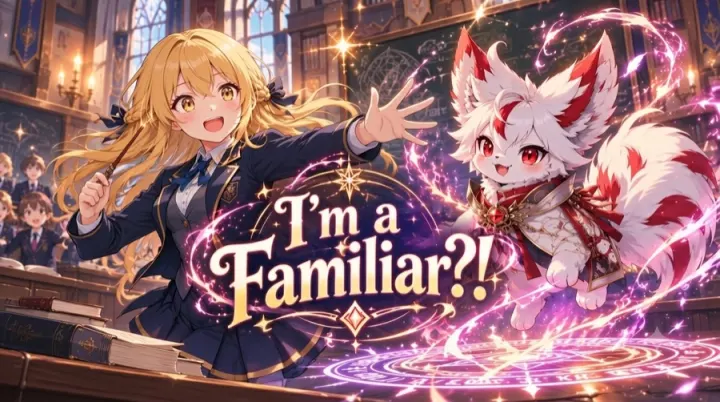
The tone is [two words]. The story cares most about [people / power / a home / a mystery].Your title can tell players what the world is about before they click. I'm a Familiar?!, Reborn as a Labyrinth Monster and YOUR POWER IS WHAT?!? all do this.
#02Start small
Pick one place where a lot can happen: a guild town, a ship, an academy, an inn. Regions can be very deep. A single region could host 10+ hours of play, so don't be afraid to start with just one.
- Make the place a location, and the spots inside it areas. For a town, the town is the location, and the market, guild hall and inn are its areas. Connect the areas with paths so players can move between them.
- Station your characters. Place each recurring character in the area where players should find them.
- Draw the map after the locations, areas and paths are set. As the map guide puts it: "The map is a rendering of decisions you already made, not the other way around." (map guide)
Paste this into Studio chat to get a first draft (an invented example; swap in your own idea):
Build a small original world called The Lantern Inn.
The player has just inherited a seaside inn that can't pay its repair bill.
Start with one location, three connected areas and three recurring adult characters.
Give each character a job, a goal of their own, a distinctive voice,
and a secret with a consequence the player can discover. Romance is optional.
Make one recommended story start: a guest puts a paid receipt on the desk
for a room the player already promised to someone else.
Offer a real choice in the first scene. Let the player refuse or improvise.For bigger builds, use the Studio API key. If your account has one, generate a key in Studio settings, download the API document and give it to your usual AI tool. Top creators use this for bulk characters, placement and prose, then edit what it writes.
#03Give your characters goals and secrets
Players notice when every character sounds the same, or when a character only exists to explain lore, sell things or admire the player. For each recurring character, decide what they do here, what they want, how they talk, and what they're hiding.
In Studio, put what anyone could notice (looks, job, how they talk) in the character's Basic Info, and put the secret in Hidden Info.
Generation vs handcrafting. You can tell the engine how to write the characters it makes up during play, so they come out the way you want. One top creator puts a set character format in AI → NPC Details, so the characters the AI invents are written the same way as the ones they wrote by hand. Here's our version for you to use.
Template: character card
Look (for the portrait): build, face, hair, clothing, one memorable detail,
  apparent age (adults only), how they carry themselves. No backstory here.
Job: what they do here, and where to find them (a place and a time of day).
Wants: what they're chasing right now, without the player.
Contradiction: where they don't fit their role.
Voice: how they talk, one habit of speech, and what it gives away.
Likes and dislikes: what makes them warm up to someone, and what puts them off.
Ties: one other character they're bound to, and how.
Secret: something true that would change how people treat them.
  How it comes out: the event that brings it into the open.
  What it's worth: what someone could do with it.

Optional lines:
In a fight: how they fight, or why they don't, and what they can't do.
Romance (adults only, if your world has it): how they show interest, their
boundaries, how jealousy shows, and what friendship looks like if the player says no.Template: AI → NPC Details
Before inventing a character, check whether someone suitable already exists.
Write every new character in the character-card format, with one existing
character or place they're tied to. Keep their power and knowledge local.
Leave out optional lines the character doesn't need.
If an existing character is missing a line, add it. Never rewrite lines that already exist.Before and after (an invented world, The Lantern Inn):
| Before | After | |
|---|---|---|
| Public description | "A cozy seaside inn full of possibilities." | "Run an inn that can't pay its repair bill, where two guests hold receipts for the same room." |
| Opening | "You arrive at the inn. What do you do?" | A guest sets a paid receipt on the desk. Upstairs, the other claimant is unpacking. Both expect an answer. |
| Character card | "Mara is a 34-year-old harbormaster. She's kind but stern and likes the player." | Look: broad-shouldered, salt-stained oilskin, gray braid pinned up, ink on her fingers. Voice: short practical sentences; asks two questions for every answer. Likes: people who keep their word. Dislikes: flattery. Wants: to stop the old families turning the harbor into a toll road before winter. Secret: she forges the tide logs to hide one family's night landings. How it comes out: an inspector asks for the logs. What it's worth: whoever knows can make her look away once. Where: harbor office at dawn, the inn's back table after the last boat. |
The secret is what gives the player a quest: once they learn it, they have to decide what to do with it.
#04Make relationships earned
Relationships come up again and again in player posts. One player had already maxed out a friendship by helping a character cook, but after long talks and a shared hobby with someone else, wrote:
she still counts as a "stranger" to me
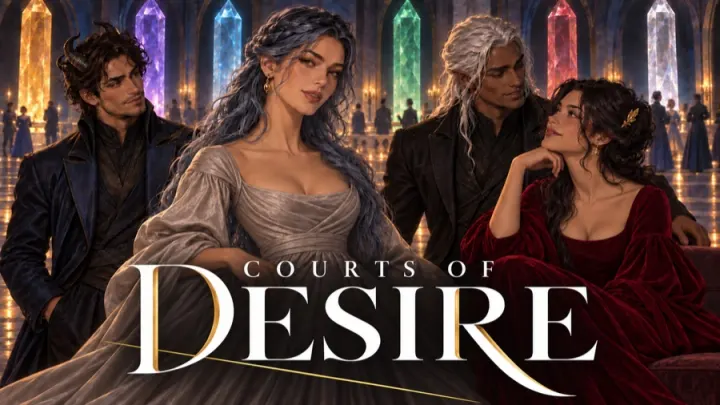
Another complained about worlds where characters fall for you after "5 nice words and doing a funny dance". In Courts of Desire, a player praised a character for being honest with them instead of flattering them: "Renata has been the most real with me".
Here's what the creators who get this right do:
- Let each character care about different things. Characters weigh shared meals, long talks, remembered details and favors differently, depending on their personality. Mara warms up when you keep your word and doesn't care about compliments. Someone else might be the opposite.
- Keep friendship and romance separate. As Dsar puts it: "Positive relationship does not automatically create romance."
- Name your stages. You can decide what your relationship stages are called and what each one means in your world, in Mechanics → Relationships.
Template: AI → NPC Updates (this is the instruction file that decides relationship changes)
Most ordinary exchanges (greetings, small talk, buying things) change nothing.
Being nearby doesn't count. Something has to happen between the player and the character.
Each character weighs things by their personality: use their Likes and dislikes line.
Harm costs more than kindness earns, and repair takes more than an apology.
High trust is not romance. Romance starts only when both sides choose it in the story.
Never decide what the player feels.A new stage name won't make a character do anything by itself. If you want something to happen at a stage, like an invitation to dinner, set it up with a trigger or event. The same goes for joining the party: "Flirting, sharing a meal, or completing one quest should not automatically add them to the party." (relationship guide)
Voyage keeps one relationship score per character for everyone in a game. If two players both court the same character, they share that score. If romance is central to your world, design it for solo play first.
#05Give new players something to do in the first scene
Your story starts (in Story Starts) are the first thing a player sees after creating a character. A story start should show off the themes of your world, and how the player's character and party fit into it. Write each one as a scene with three parts:
- A named place.
- Someone there who wants something.
- A choice the player has to make soon.
We compared how often players came back after different openings in the same world. In one popular world the difference was bigger than chance: 16 of 90 players who started alone in a dungeon, needing to find a way out, came back a week later, compared with 3 of 54 who started by inheriting wealth and status. We didn't find a reliable difference in other worlds. In the examples we read, the openings that did better gave the player a role and a clear next step, like a new guild license and a board of jobs to pick from. Some that did worse put the action days away, or told the player nothing needed doing. Players picked their own starts, so test this in your own world before you rely on it.
Template: one story start
Title: the promise, in five words or fewer.
First line: the player is already doing something, in a named place.
Who's there: one named character who wants something.
The choice: something the player must answer or decide in the first few turns.
The next step: a concrete thing to do next (a job board, a locked door, a debt due tonight).
Stop before deciding how the player responds. Refusing is a valid answer.- Use the character-creation choices in the story. If players pick a Previous Life or a Relationship Style, mention it early. You can add a line to AI → Initial Start, like "Mention the player's Previous Life in the first scene." One player noticed when a world did this: "The story immediately picked up on a bit in my backstory".
- Don't contradict the backstory a player writes. If your world has limits (no royalty, no magic users), say so in the character-creation text before they write one.
- Tell new players which start to pick. A list of twenty starts is a lot. Name one in your description ("New here? Pick The Lantern Inn") and give it a clear title.
#06Protect the quiet
"Downtime is not a transition — it is a destination." Guappa
Players often bring up the quiet parts of a world, like meals and crafting. One wrote: "I enjoy the world much more as a crafter." In KaleidoARC's world the rule is "Downtime is sacred".
Voyage's built-in narrator instructions already avoid inventing new threats during rest, so you don't need to write that. Instead, tell the narrator what quiet time looks like in your world. Add this to AI → Story:
Template: AI → Story, quiet scenes
Quiet activities in this world: [the inn's evening meal, workshop time, the walk home].
During them, [the regulars] stay in the background unless the player speaks to them.
Only [the debt collectors / the storm] may interrupt, and only if already set in motion.
The player decides when the activity ends.#07Keep the world moving with a few core threads
A world feels alive when things happen without the player starting them, but a new disaster every few turns gets tiring. Instead, keep a few core threads going in your world, and move each one forward a little at a time.
- Write two or three core threads into your World Background, each with a next step. For example: "The harbor toll vote is in three days. The Ashford family owes the guild money and is hiding it. A storm is due at the end of the week."
- Give your factions goals. In each faction's record, put what they're openly trying to do in Basic Info and their real plan in Hidden Info.
- Tie quests to those threads. In the quest guidance in Story Overview, ask for quests that come from them (for example, "Quests should come from the toll vote, the Ashford debt or the storm, and stay in town").
- Tell the narrator how to bring them up. Add a line to AI → Story like the one below.
Every few scenes, move one of the core threads forward off-screen and let
the player hear about it through a character, a notice board or a rumor.
Don't start a new crisis while an earlier one is still unresolved.#08Don't forget the game mechanics
Interesting progression keeps players focused on growing: new ranks, better gear, abilities that open up new things to do. Some player reports describe rules that don't hold, like enemies "circling" without ever attacking, or NPCs ignoring the world's own rules.
- Play it yourself first. Start a new game, get into a fight, use a power, level up. Check that enemies attack, that powers do what their description says, and that progression feels fair. Do this before you publish.
- Put each instruction in the file that uses it. Narration rules go in AI → Story, relationship rules in AI → NPC Updates, and new-character rules in AI → NPC Details.
- Store facts that must stay true. If a debt has been paid or a betrothal agreed, record it as quest progress or with a trigger, rather than relying on the story text. For a scene that should last several turns, like a trial or a ball, use a narrative event.
- Explain your systems to players. One player asked for "clear scales to get an overview of the item system". A short list of item tiers in your description or Discord thread helps.
#09Pick one art style
Generate a handful of images, pick your favorite, and describe it in two or three sentences: the medium, line, color, lighting and mood. Paste that into AI → Image Prompts for characters, locations, areas and regions, then generate a few more and check they match. Check map images separately.
Template: AI → Image Prompts
Style: [2–3 sentences describing your chosen image]. Every image uses this style.
No text, letters or logos in images. All characters are adults.
[Framing, e.g. waist-up portrait that fills the frame.] [Anatomy rules for non-human races.]
Location images show the place, not people.Your cover is separate. It's the card players see in search and on Home, so check it at thumbnail size. Putting the title on it is up to you.



#10Help players find your world
In a sample of first plays of popular worlds, about a third came from Home, a fifth from search and a seventh from direct or shared links; about a sixth we couldn't trace. A new world won't be in the Popular or Public Servers rows on Home yet, so search and your own links matter most at first.
- Title: a role, situation or conflict, using words people would search for.
- Description: what the player does first, and what kind of play to expect after that. Keep your secrets out of it.
- Tags: your premise and genre. Only tag features your world actually has.
- Rating: rate what you wrote. A Teen rating covers romance, flirting, kissing and fade-to-black. How far the narrator goes in a game depends on the host's own content setting, not on your rating.
- Mature worlds: approved Mature worlds can be featured in Home, Discover and Search. When you publish, Studio tells you whether your world is Eligible for Default discovery and lists anything blocking it. Fix what it lists, and check again after you change your cover.
- Play the published version once. Your own new games use your draft, so play the published one as a player would.
#Reading your results
| What you see | What it might mean | What to try |
|---|---|---|
| Very few players | It may not show up in search yet, the title or cover may not explain it, or new players may get stuck in character creation. | Check it's published and eligible. Ask a friend to find it and start it, and watch where they stop. |
| Play jumps after an update | More people played, but you may also have been featured or shared somewhere. | Note the date and what you changed, and read play reports before deciding which change worked. |
| People try it once and don't come back | The first scene may not match your description, or there's nothing to come back for. | Replay your recommended start in a new game. Is there a clear next step? A reason to come back tomorrow? |
| A few people dislike one start | That start has a specific problem. The rest of the world may be fine. | Play that start yourself and fix the specific problem. |
#Before you publish
#Read next: community guides (Voyage Discord)
These links open threads in the Voyage Discord. Join the server first if you're not a member yet.
- Kato, How to Build a Voyage World That Actually Feels Alive
- Building a Coherent, Visual-Rich Map in Voyage
- New Relationship System: Guide
- Which authored channels actually reach which AI task
- Dialogue and cultural register
- wanderingstar1, Guide to Creator-Authored Quests
- Narrative Events: Quick Guide
- Guappa, Unofficial Voyage Wiki for Creators
Quotes come from archived Voyage Discord posts and from world descriptions and instructions. Examples marked invented are ours.